
Service Cloud · Storefront chatbot
From Figma concept to a production-ready chatbot specification
I designed and specified the website chatbot end to end – merchant setup, conversation UX, suggested questions, message-level and session-level feedback, admin conversation history, and handoff requirements for AI/API integration and production delivery.
The chatbot had a face. It didn’t have a product.
Merchants needed a support chatbot on their website that could answer order, shipping, and policy questions without waiting for an agent. The Figma concept showed the widget. Production needed everything around it: a setup path merchants can finish without a developer, conversation logic, empty and error states, a way to collect feedback, and a place in Service Cloud to read what actually happened.
The goal was not a prettier chat bubble. It was a reliable channel – one that matches the design, works on desktop and mobile, connects to backend and AI services, and gives the team a closed loop to improve answers over time.
Product outcome
A storefront chatbot merchants can configure, shoppers can use, and operators can measure
Merchants brand it, set hours, and publish. Customers get answers, suggested questions, and a clear path to an agent. Operators see conversation history, star ratings, thumbs, and “what went wrong” reasons – so the next release is informed by real use, not guesswork.
Merchants set it up themselves
The updated design file expands the merchant journey beyond branding. They create a chatbot from an empty list, name it, theme it, set hours, write quick prompts, attach a knowledge base, choose what the form captures, then generate a preview and publish. Save Changes is a draft. Publish Chatbot is live.
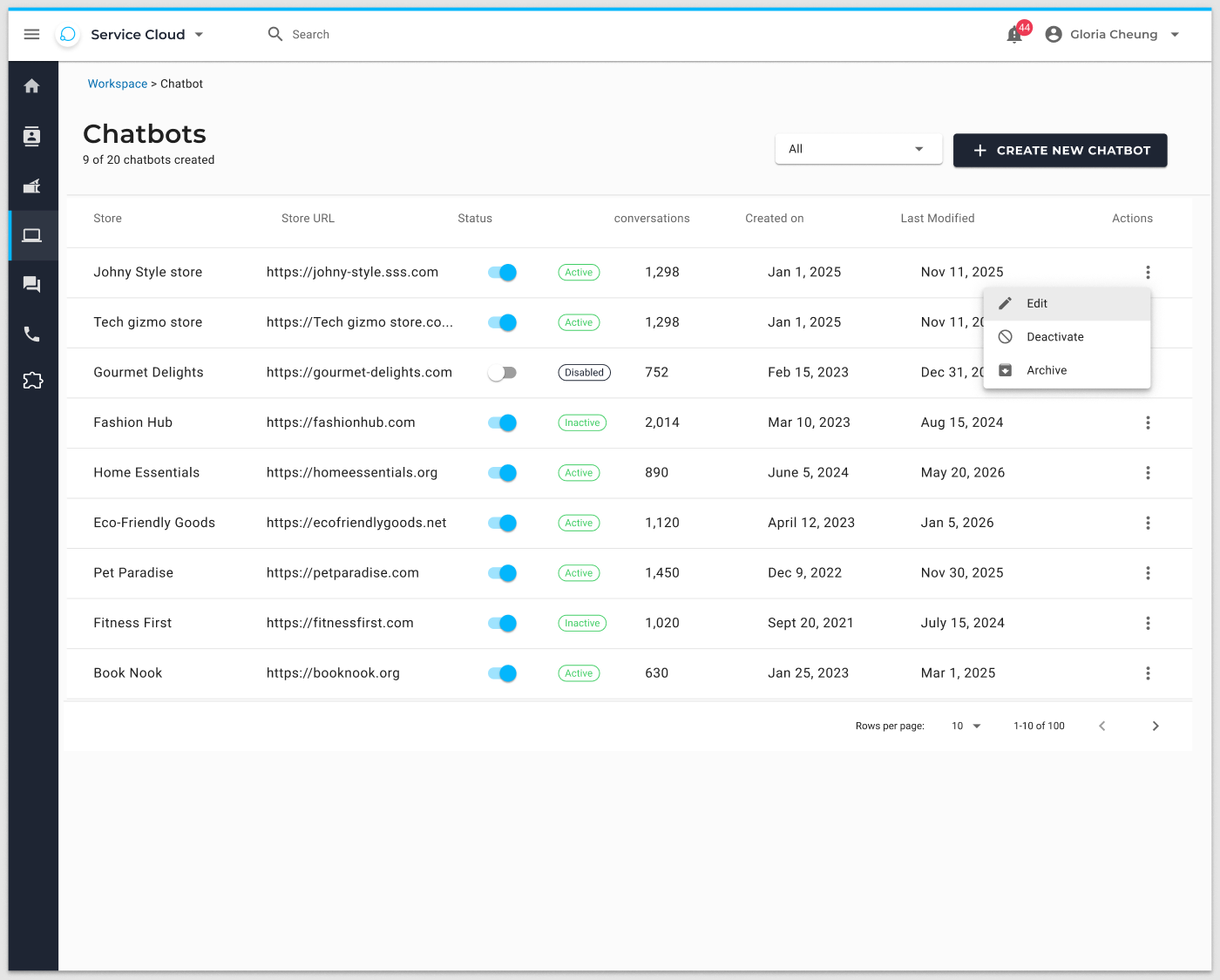
01 · Chatbots
Create from empty
Empty state, then a list with a 20-bot cap. Create new chatbot is the only primary action.
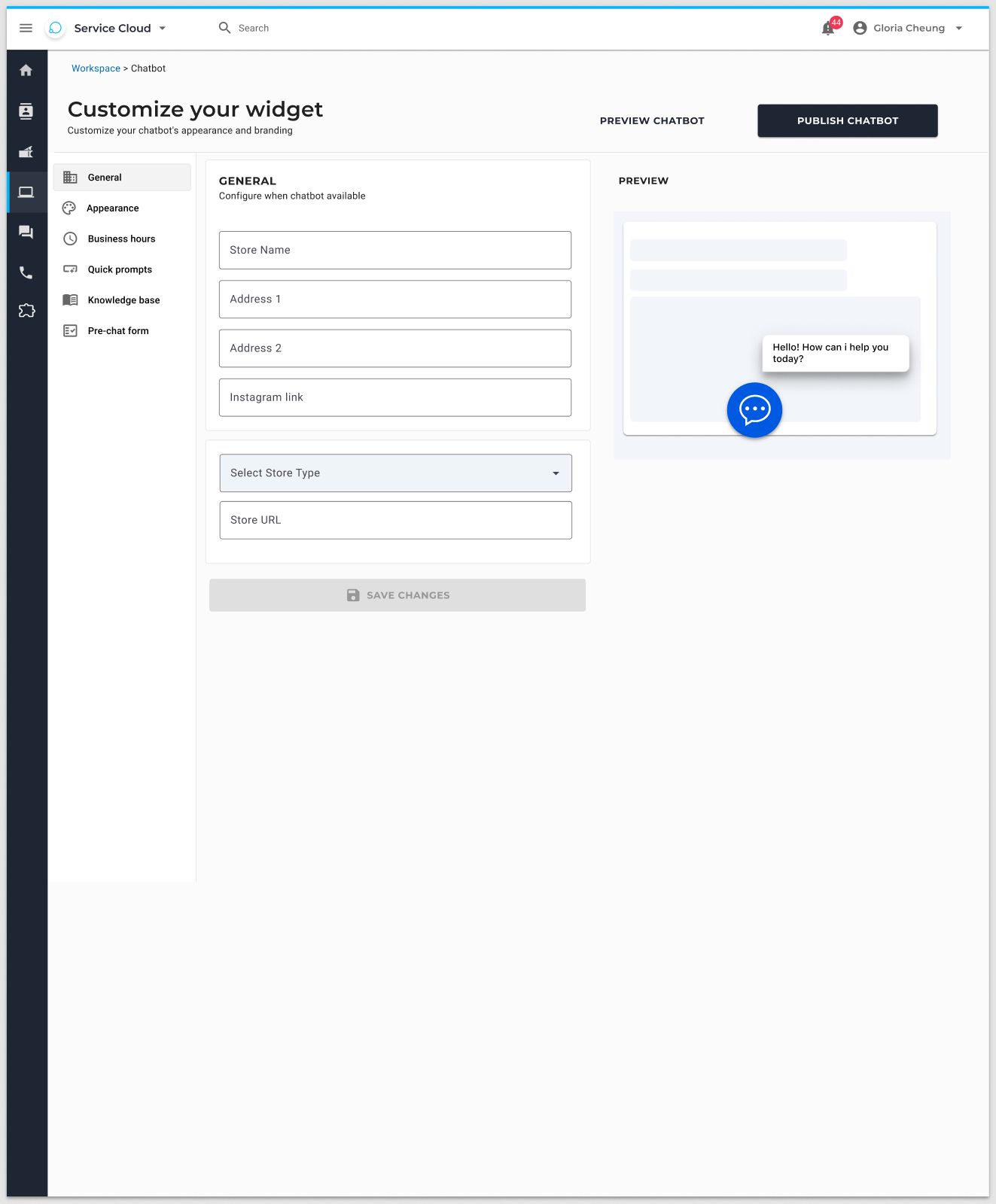
02 · General
Name the bot
Chatbot name and description – not a street address. Preview on the right updates as they type.
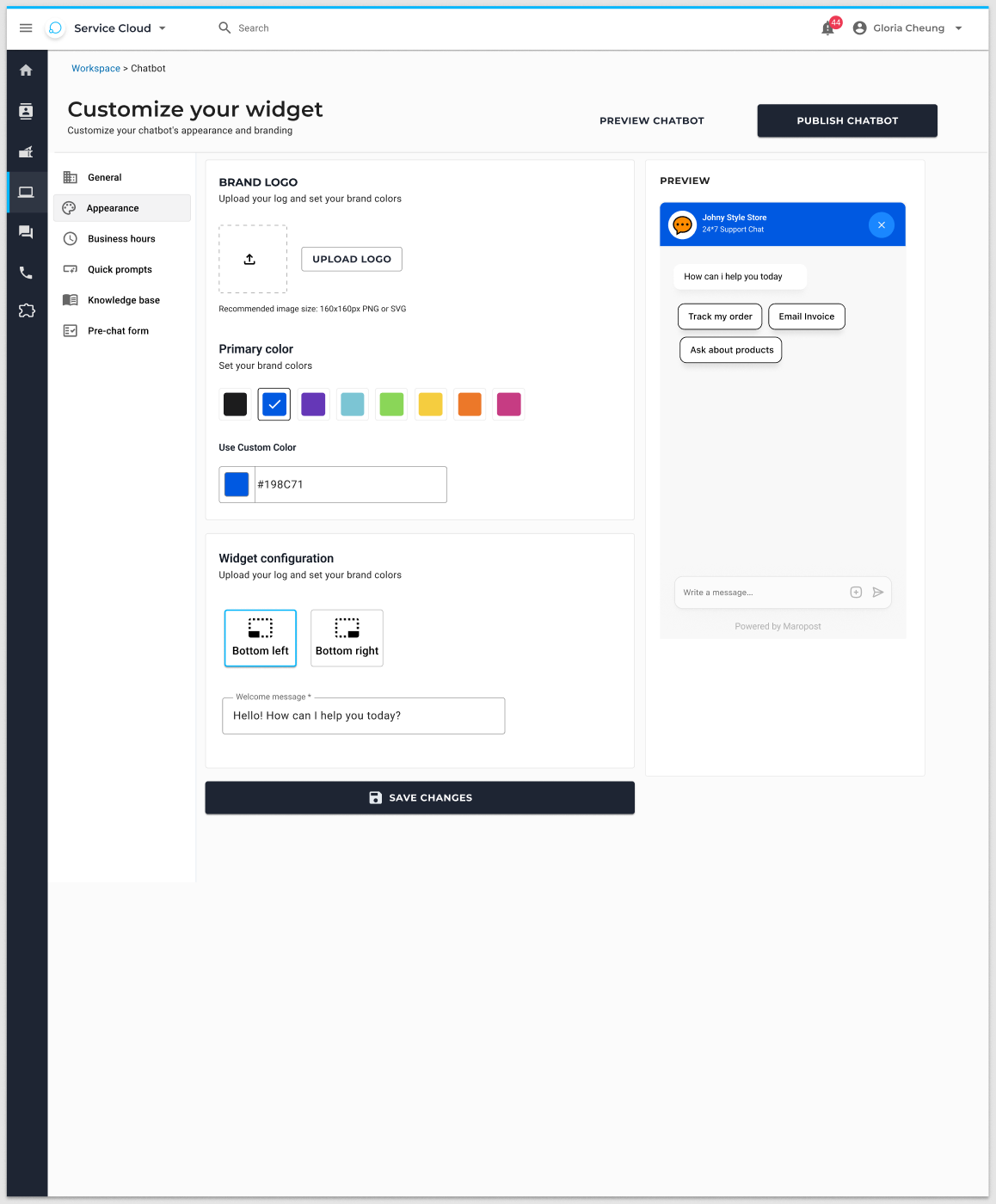
03 · Appearance
Brand the widget
Logo (160×160 PNG/SVG), colour palette or custom hex, live widget preview, Save changes.
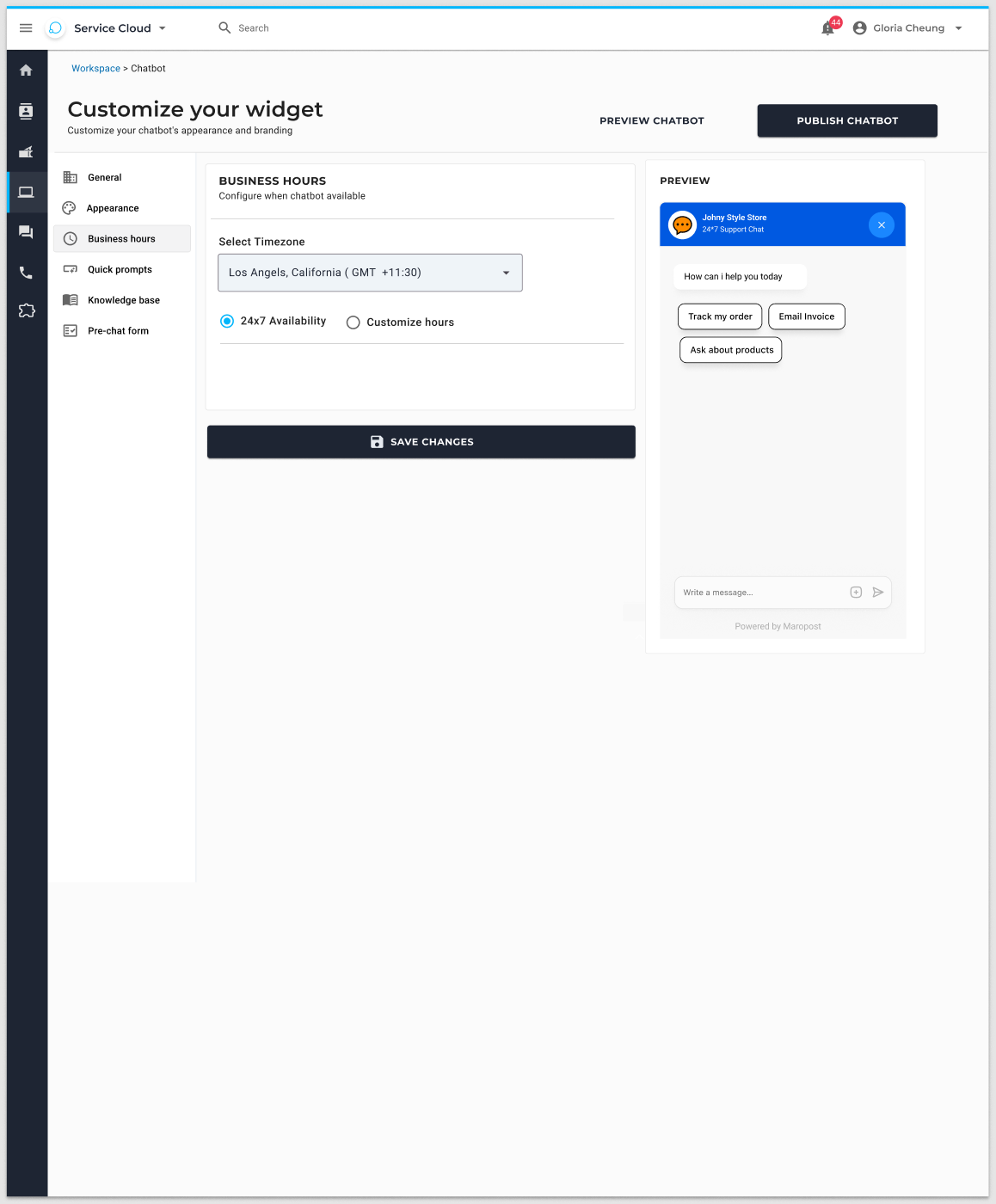
04 · Hours
When it is on
24/7 availability or custom hours for each day. If the store is closed, the widget should not pretend an agent is there.
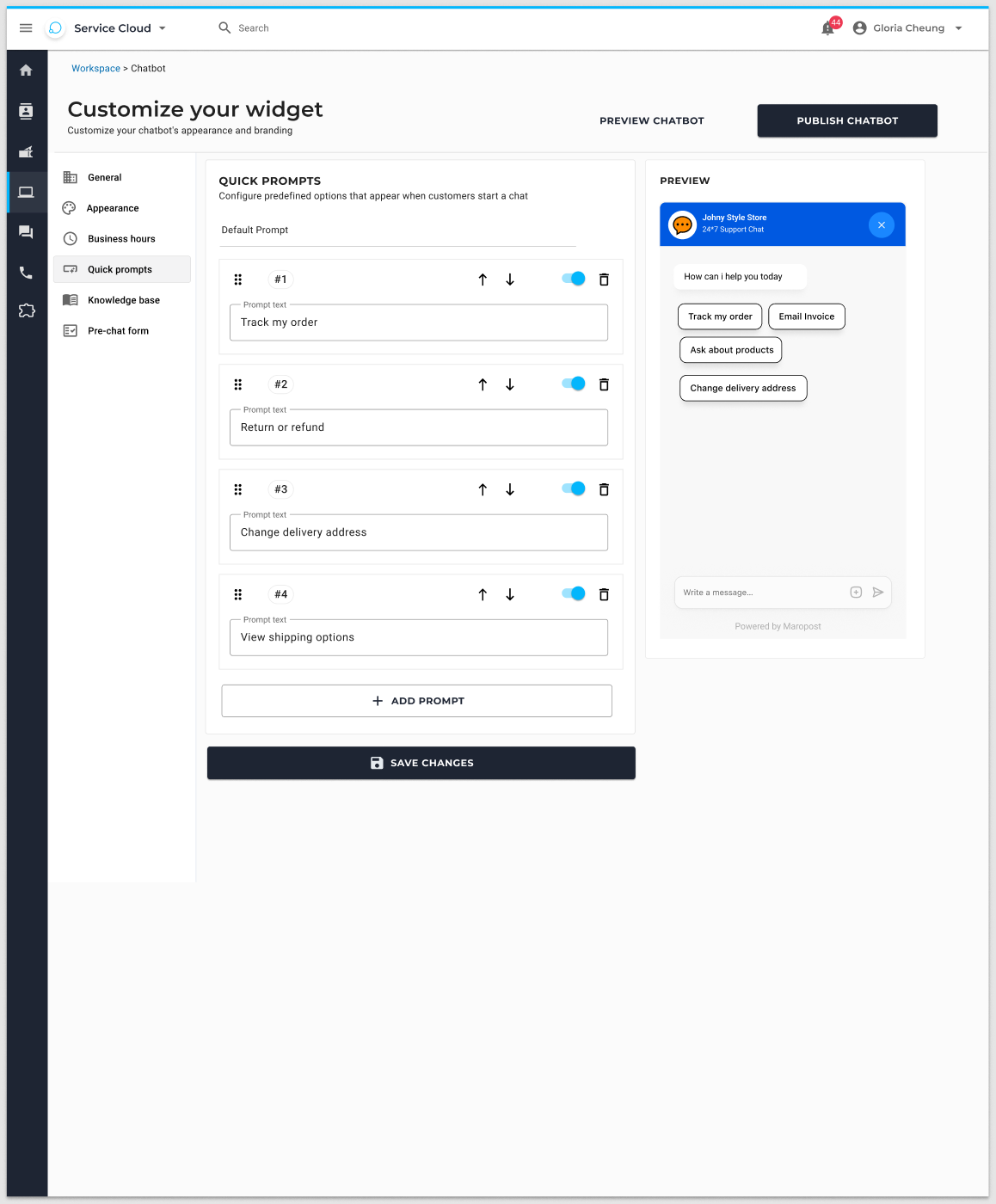
05 · Quick prompts
Suggested questions
Default chips like Track my order and Where is my order. Merchants edit the prompts shoppers see first.
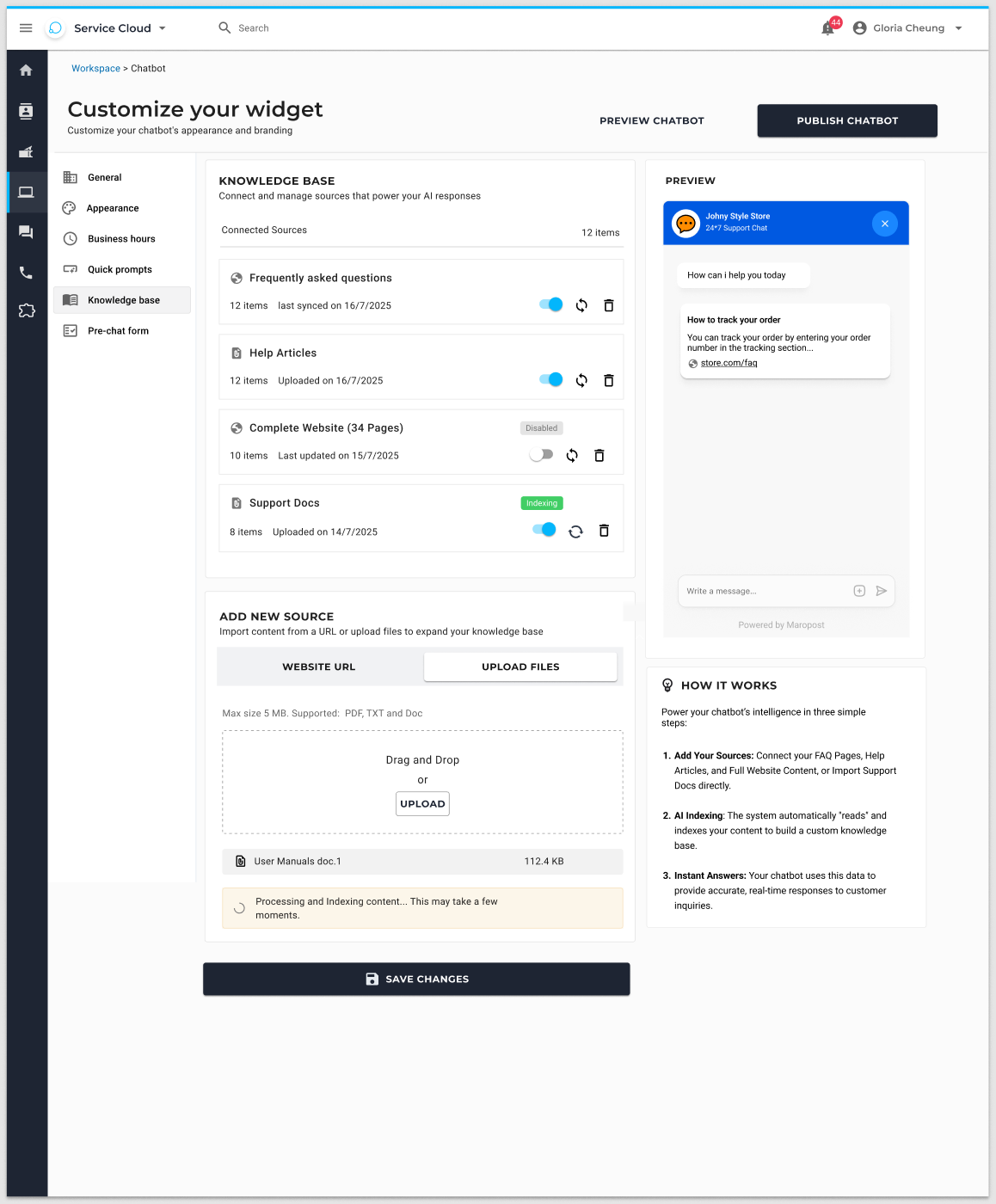
06 · Knowledge
Teach the bot
Paste a URL or upload a PDF, TXT, DOC, or DOCX file (up to 5 MB). This is how answers stay on-brand without a developer.
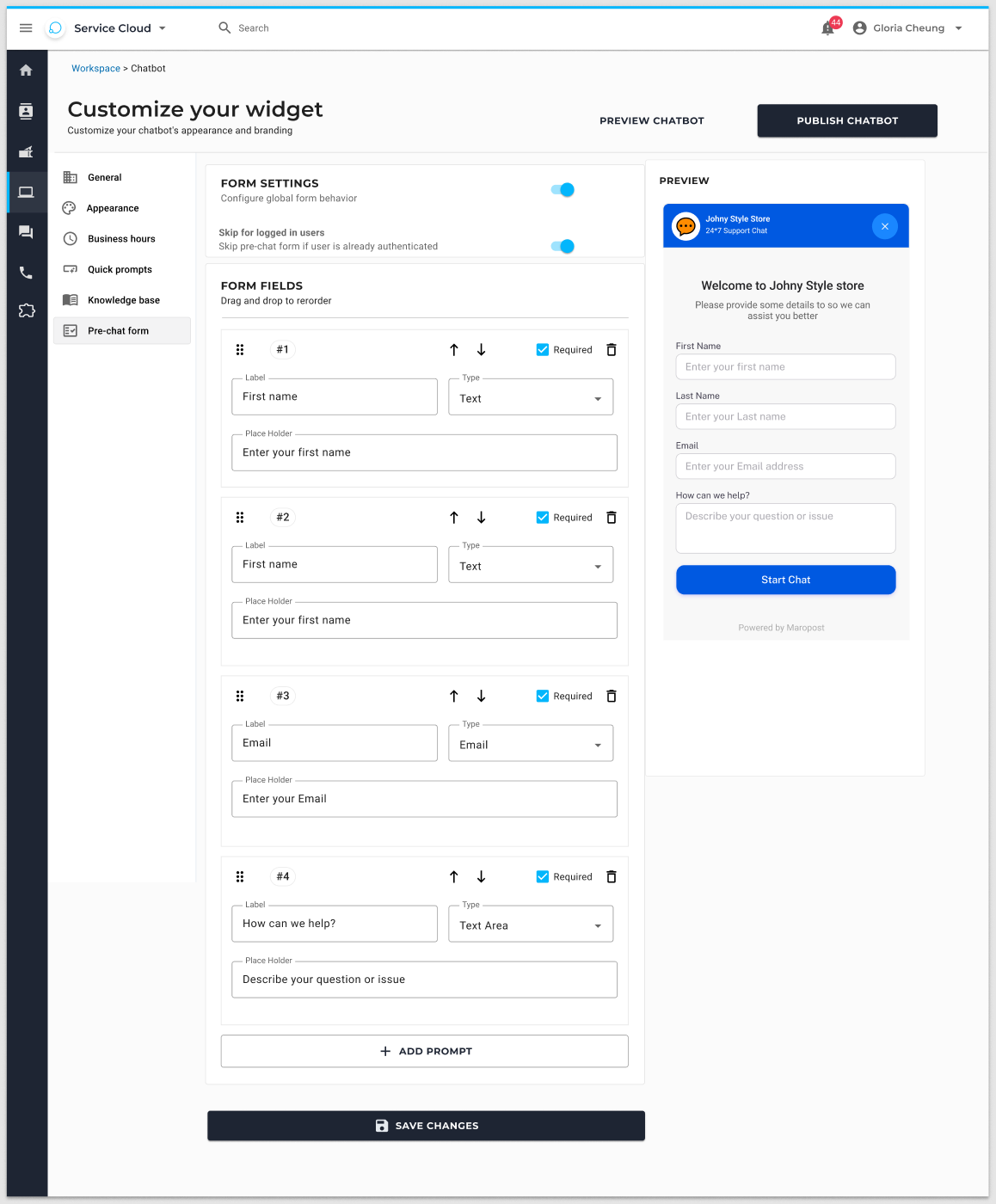
07 · Forms
What to capture
Email, name, phone – on or off. The bot only asks for what the merchant actually needs.
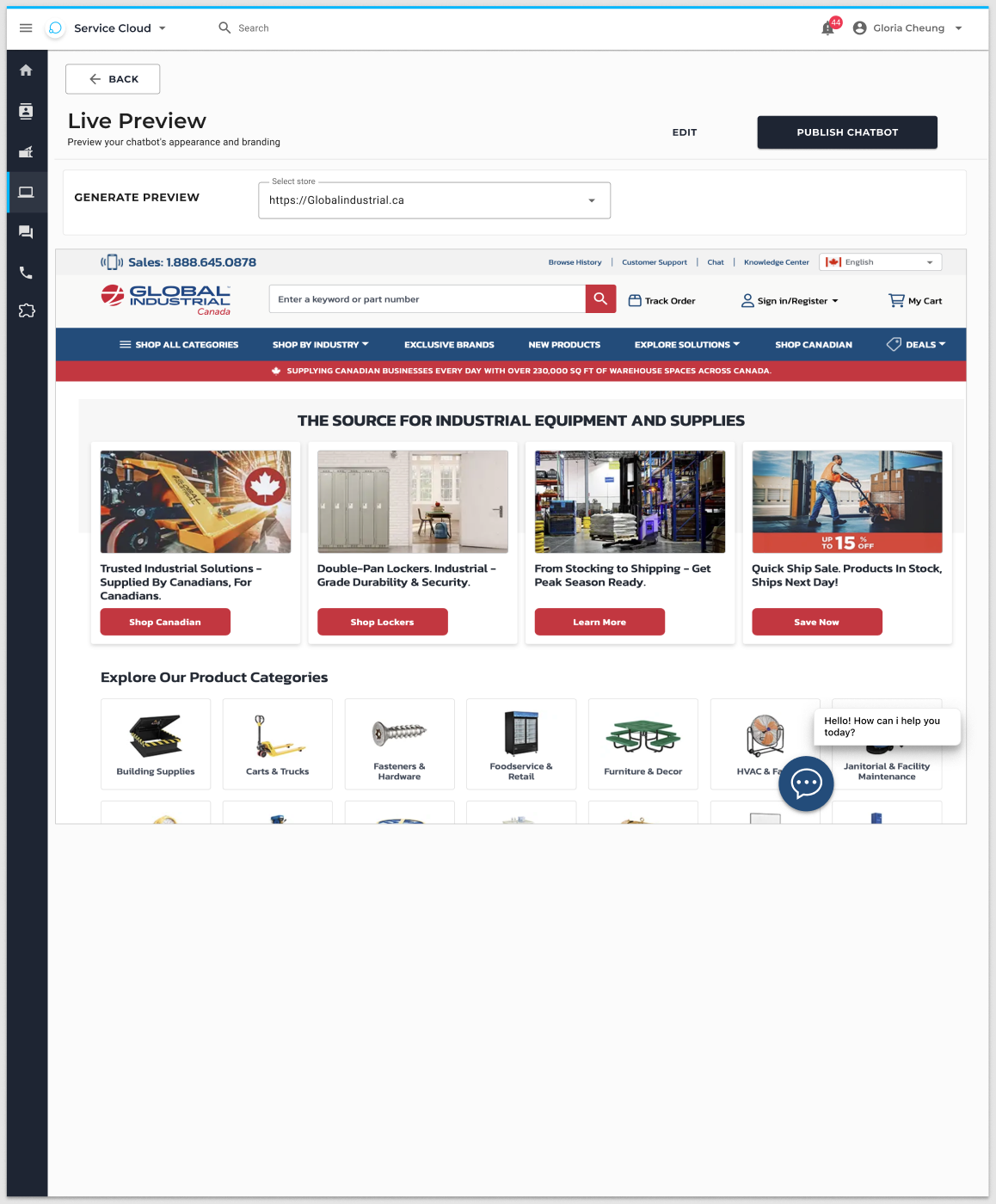
08 · Preview
Then publish
Generate Preview, Edit, or Publish Chatbot. They never commit to the storefront blind.
Two feedback jobs. Two controls.
Early drafts mixed thumbs and stars on the same moment. That creates noisy data: a bad answer and a bad session are not the same thing. The final interaction model separates these signals.
On the message
Thumbs up / thumbs down
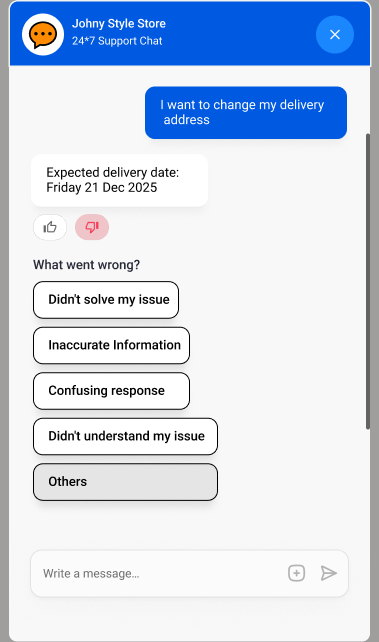
Shown on bot replies that can be judged – not welcome, login, ticket-created, or order-identification prompts. Thumbs down opens a reason list (Didn’t solve my issue, Inaccurate information, Confusing response, Didn’t understand my issue, Other) so the team knows why the answer failed.
On the conversation
Star rating at close
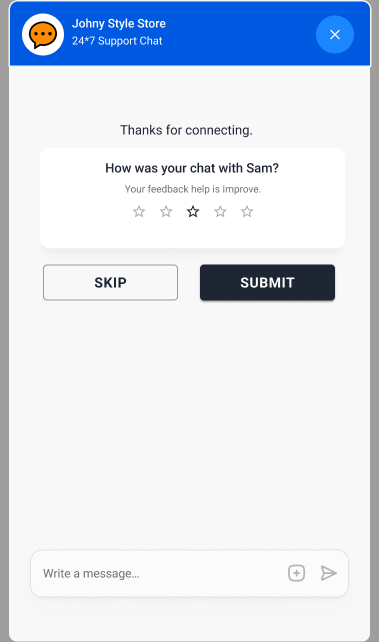
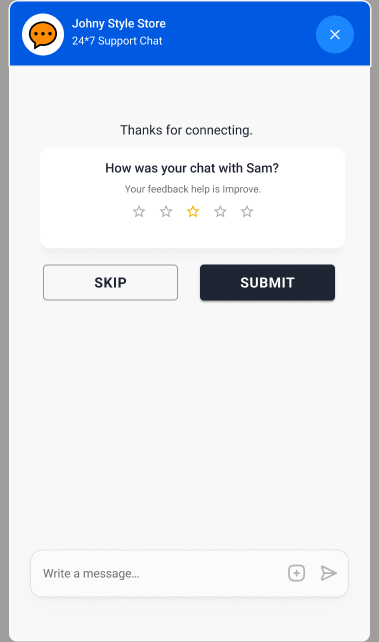
When the visitor ends the chat – “How was your chat with Sam?” – they rate the whole session from 1–5, or skip. Stars live on the Conversations list. Thumbs live on each reply and in the Chatbot Feedback table. Operators can scan quality, then drill into the exact message that went wrong.
Live widget
Built to the feedback design specification: header, bubbles, suggestion chips, thumbs, reason chips, Other + submit, and session CSAT on close. Try an order question, then thumbs-down a reply and close the chat.
Order #N1237
Dispatched 18 Jun · In transit
Need to change the delivery address, check a return, or ask when it arrives? The chatbot on the right is the same widget designed for the merchant site – not a separate admin tool.
Storefront states, designed in Figma
The Collect Feedback frames cover the customer path from a judged reply through reason capture and session rating. These are the source of truth the live widget follows.
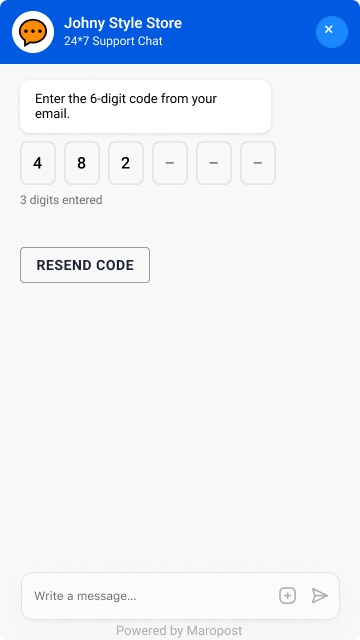
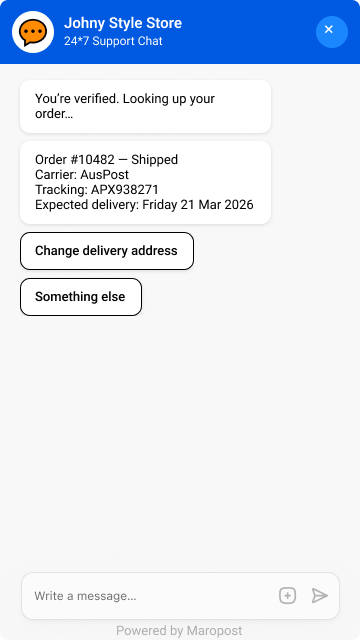
Guest order lookup, without leaking PII
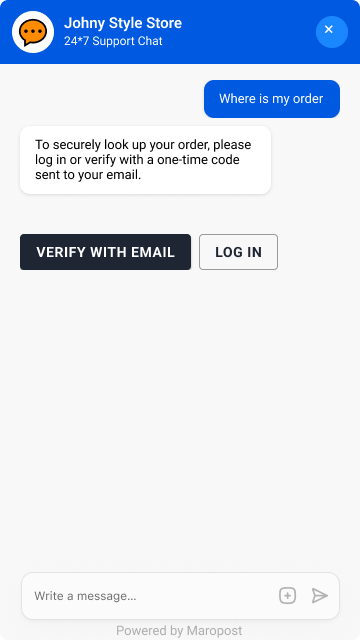
A guest can ask where an order is. I designed the lookup so it does not share order details until the visitor logs in or verifies with a one-time email code. These three frames are the overview: the gate, the code, then the order answer.
The loop closes in Service Cloud
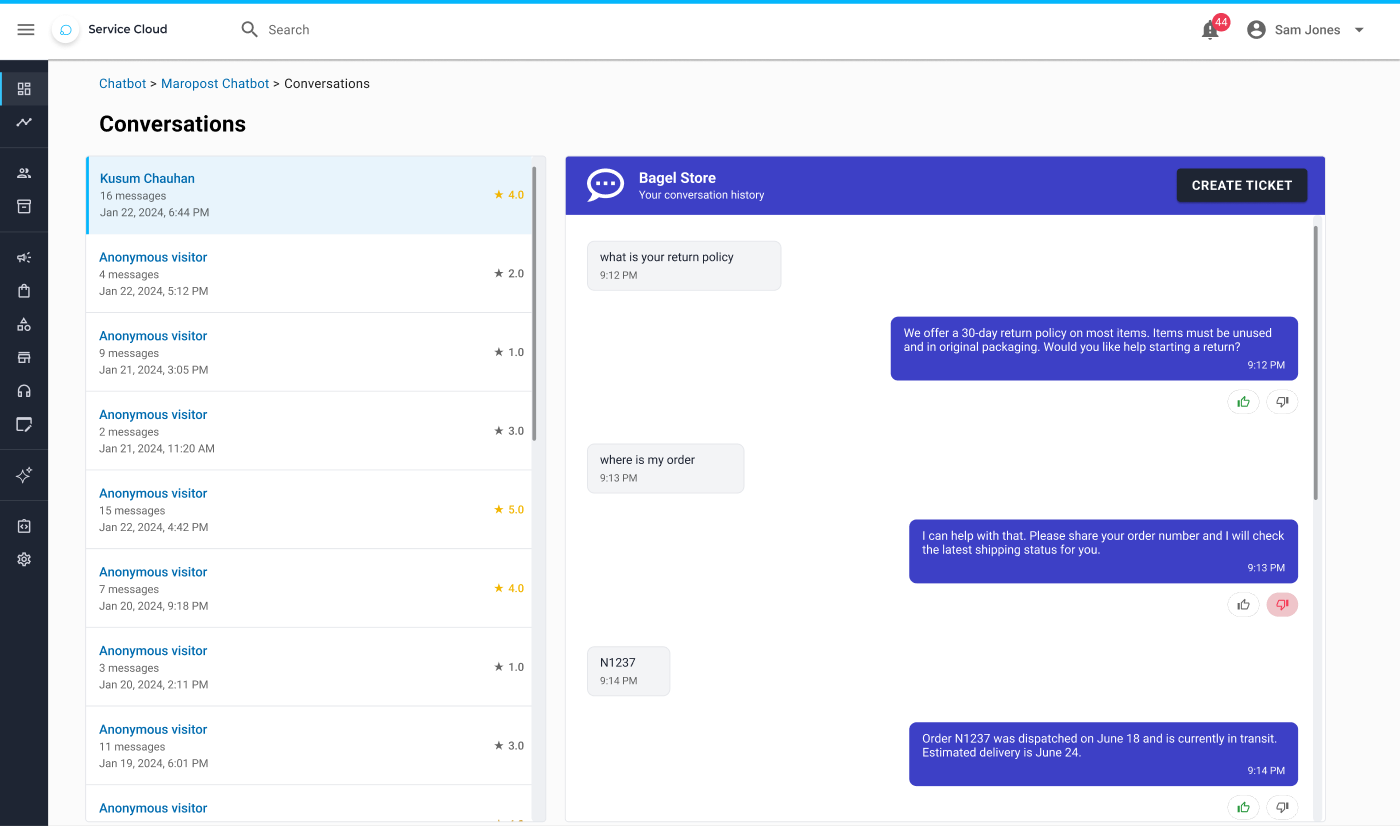
A storefront widget without an operator view is a black box. Conversations is the transcript: star rating on the session, thumbs on bot replies, and Create Ticket when the bot can’t finish the job.
Design to production
The work covered the full journey: understanding the Figma and user flow, defining behaviour, specifying the interface and service integrations, documenting edge cases, and preparing the product for implementation and ongoing improvement.
Design
Review Figma, map merchant setup and the conversation, specify every state – loading, empty, error, thumbs, CSAT, skip.
Interface
Responsive widget: messages, chips, input, buttons, focus order, and touch targets that work on mobile.
Integrate
Conversation logic, AI/backend, order and policy APIs, persistence for history and feedback.
Ship & learn
Test edges, harden security and reliability, deploy, then improve from thumbs, stars, and usage.
What the product had to cover
- Merchant setup: create, name, appearance, hours, prompts, knowledge, forms, publish
- Responsive implementation specifications based on the Figma screens
- Messages, input, buttons, loading, errors, and interactions
- Conversation flow and chatbot logic
- AI / backend services and required APIs or data sources
- Conversation history, suggested questions, and feedback
- Desktop and mobile, including accessibility basics
- Edge cases, performance, security, and reliability
- Production deployment, monitoring, and ongoing improvement
States that had to be real, not implied
What I would look for after launch
The Figma file is the contract. The product is the loop: thumbs-down reasons feeding answer quality, conversation stars feeding overall CSAT, and Create Ticket catching the cases the bot should not fake. From there the work is monitoring, not more chrome – which replies fail, which intents need better data, and where mobile still drops the composer.