Marketing Cloud · SMS, MMS, and RCS
One SMS campaign for SMS, MMS, and RCS – with a preview you can trust before send
SMS was 160 characters of plain text. MMS added an image, but it stayed costly and hard to deliver. I designed channel type under the from number so marketers stay in one SMS campaign: SMS, MMS, or RCS. RCS unlocks a 3,072-character message, media, buttons, suggested replies, and a rich-card carousel, with a verified sender on the phone preview, then schedule with a quiet-hours pause.
Write it. See the phone. Then decide when it goes.
Marketers already had SMS in Marketing Cloud. The message was still plain text. MMS had to sit in that same campaign – images or GIFs, a subject line, the same preview – and only for the United States, Canada, and Australia. RCS had to sit there too: not a second product, and not a guess on the phone.
I owned the compose and send path. Two steps: write the message, then pick lists and send or schedule. Channel type sits under the from number. Compliance is account-wide, with a way to adjust it on the campaign.
What shipped
SMS, MMS, and RCS in one editor.
Channel type is SMS, MMS, or RCS. MMS with images and GIFs shipped for the United States, Canada, and Australia. RCS adds media up to 100 MB, formatting, up to four buttons, suggested replies, and a carousel of up to ten rich cards.
Constraint
Main image or carousel. Not both.
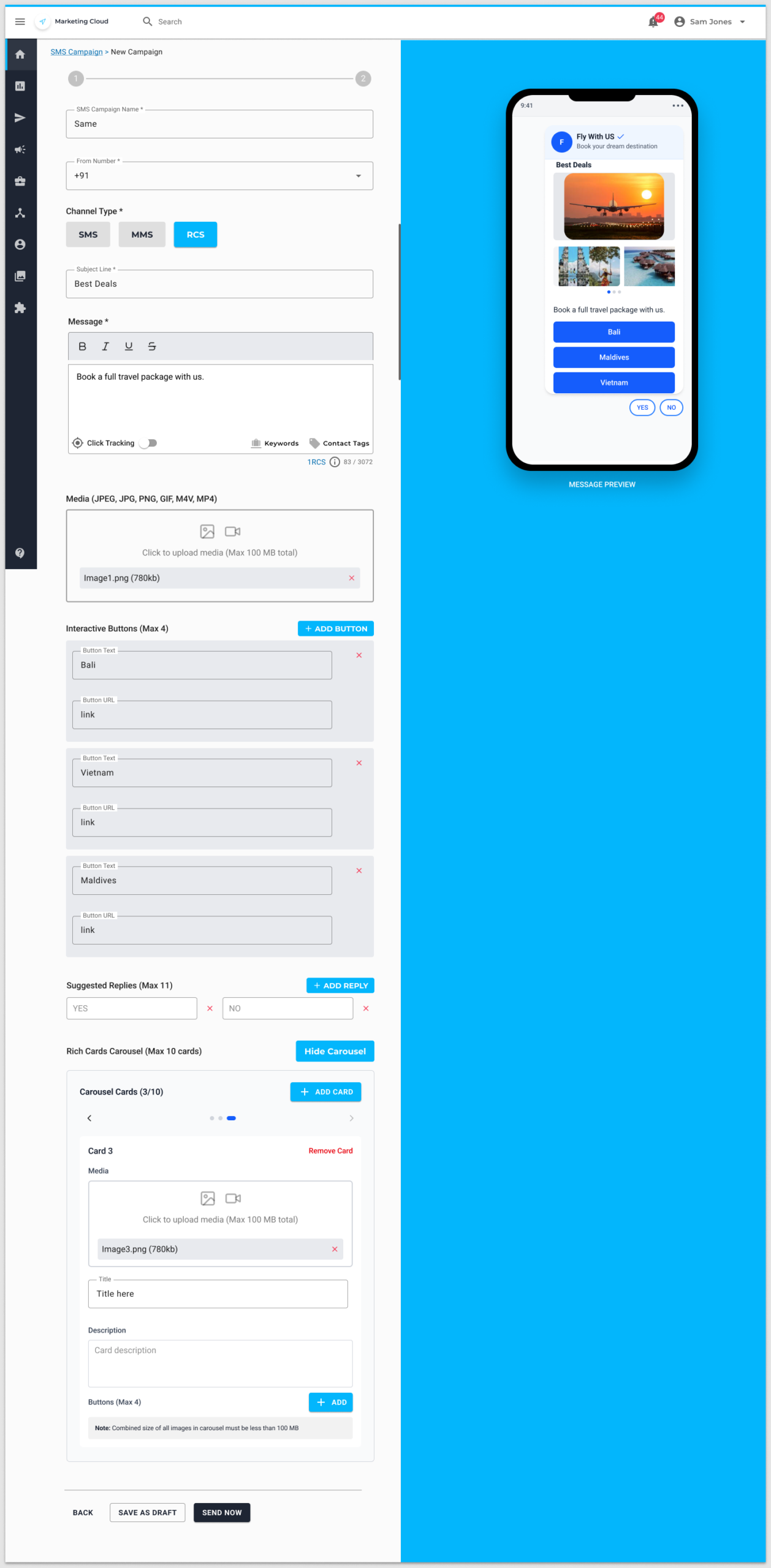
An RCS message can take a main image, or a rich-card carousel. Not at the same time. Quiet hours stay on send: pause is the default. Send anyway is a choice with a warning.
Decision
One compose. Channel type switches the rest.
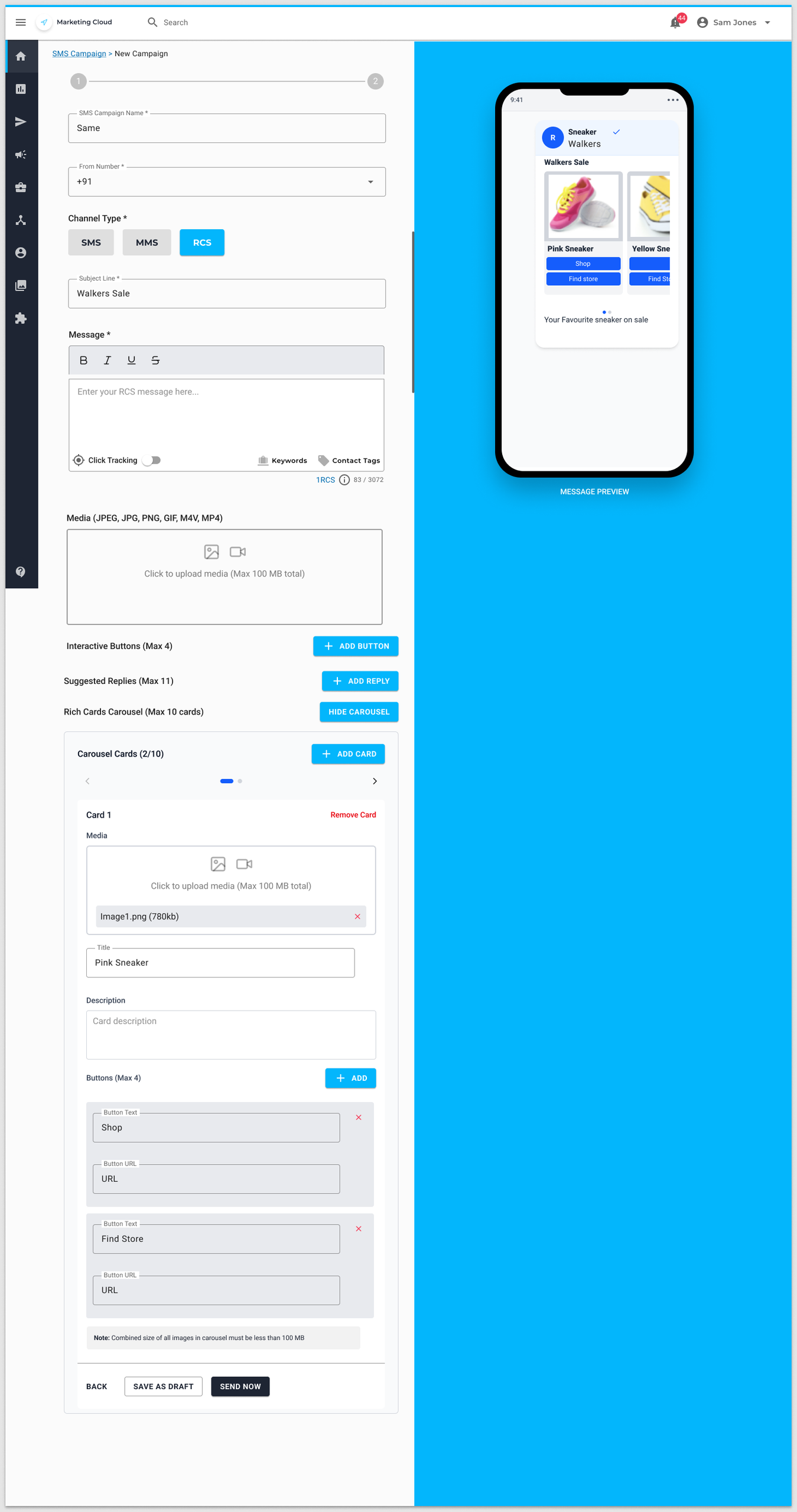
Name and from stay. SMS stays a short text. MMS adds media and a subject. RCS switches the counter to 1 RCS, raises the limit to 3,072 characters, and unlocks buttons, replies, and the carousel. The preview updates on the right.
Compose is the product. Preview sits beside it.
Step 1 is the message. Campaign name, from number, channel type, and the body. SMS stays a short text with contact tags, keywords, click tracking, and a test number. MMS adds JPEG, PNG, or GIF, plus a subject. RCS keeps that media (JPEG, JPG, GIF, PNG, M4V, MP4, max 100 MB), adds bold, italic, underline, and strikethrough, a subject, up to four buttons (25 characters, each with a URL), up to eleven suggested replies, and a carousel of up to ten rich cards. Each card has media, a title, a description, and up to four buttons. The phone on the right is the preview. On RCS it shows the verified sender name and brand with a tick – not a slide.
Name and from
SMS campaign name and from number. Same campaign whether the channel is SMS, MMS, or RCS.
Channel type
SMS, MMS, or RCS under the from number. Not a separate campaign type in the nav. RCS is 1 RCS, not 1 SMS.
Preview
Message preview on a device frame as you write. RCS shows the verified sender. Send test is for a real phone, not a substitute for that pane.
Save, send, or schedule
Save as draft, send now, or go to send. Quiet hours are checked on schedule, not after the message is out.
Send has to survive quiet hours and compliance
Step 2 is lists, suppression, timezone, and schedule. At least one contact list or segment is required. If the expected delivery sits in quiet hours, the product says so: pause delivery, or send anyway. Account-wide SMS compliance – organisation name, phone, email, company link, logo – fills the legal lines. Campaigns can override those values without changing the account defaults.
RCS compose
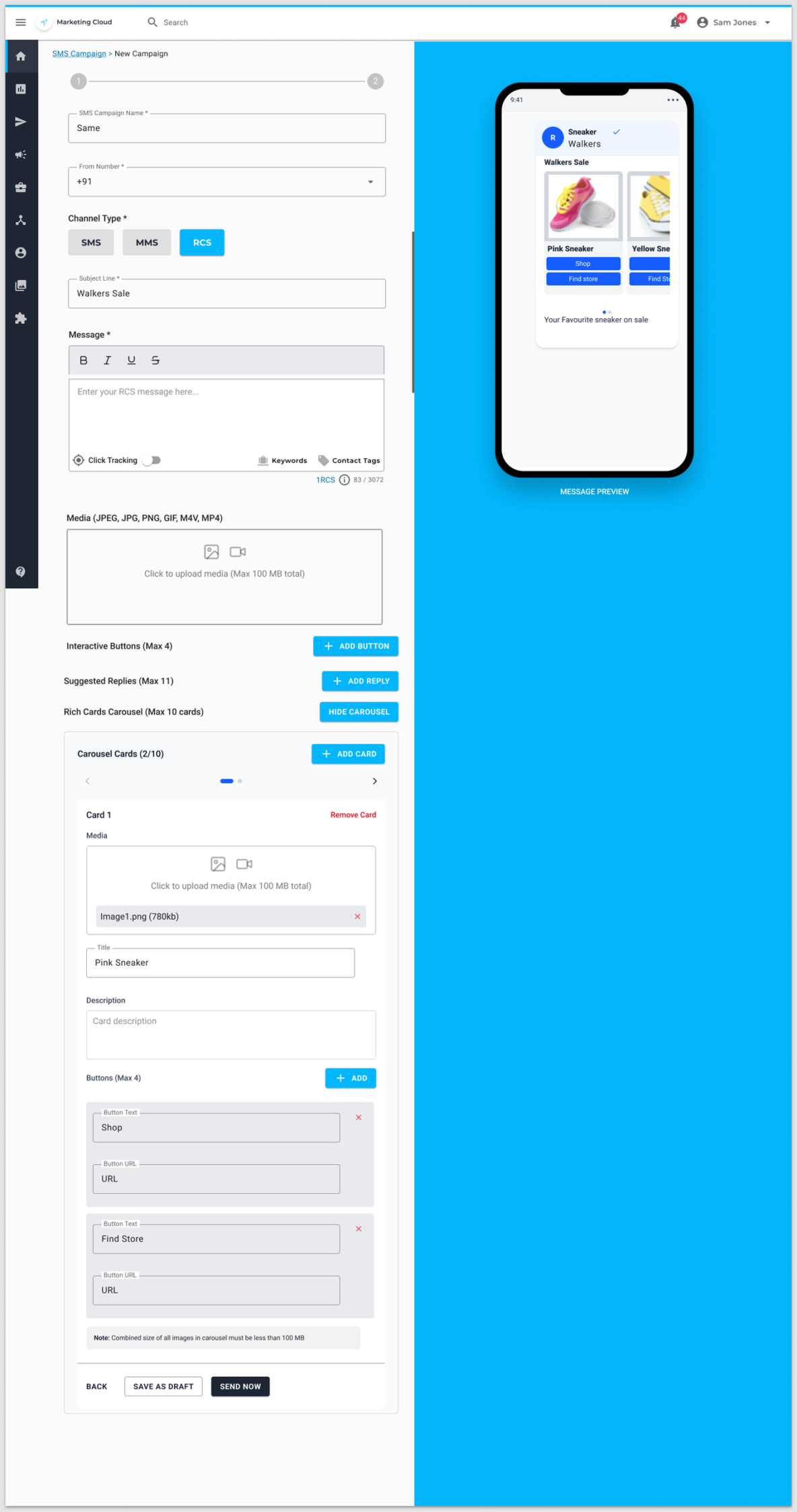
Two screens from the editor. RCS with a rich-card carousel, then RCS with destination buttons. MMS uses the same compose with channel type set to MMS. Scroll inside each tile to see the full screen. Click to open it larger.