
Commerce · Navigation
A storefront menu you can nest, preview, and save without one-by-one linking
Commerce Cloud made merchants build the tree one item at a time – name it, link it, nest it. Catalog-heavy stores could not keep up, and mega menus make that worse. I designed Phase 1 of the menu builder: a listing, a two-pane editor with bulk add and nested catalog children, then desktop and mobile preview before the menu goes live.
One item at a time does not scale
Merchants built menu structures in the back office by hand. Create the tree, name the item, link it to a product, collection, page, or URL, then decide the hierarchy – largely one row at a time. Catalog-heavy merchants have large collection sets, brand and seasonal paths, and little time to get that hierarchy right. Broken links, empty categories, and a shallow tree were the usual cost.
Mega menus will look better on the storefront. Setup gets heavier unless the back office can add many items at once, pull nested children, hide without deleting, and preview before live. I owned Phase 1 of that editor. AI generation is a later phase that writes into this same schema. Not this prototype.
Design ready. Click through it.
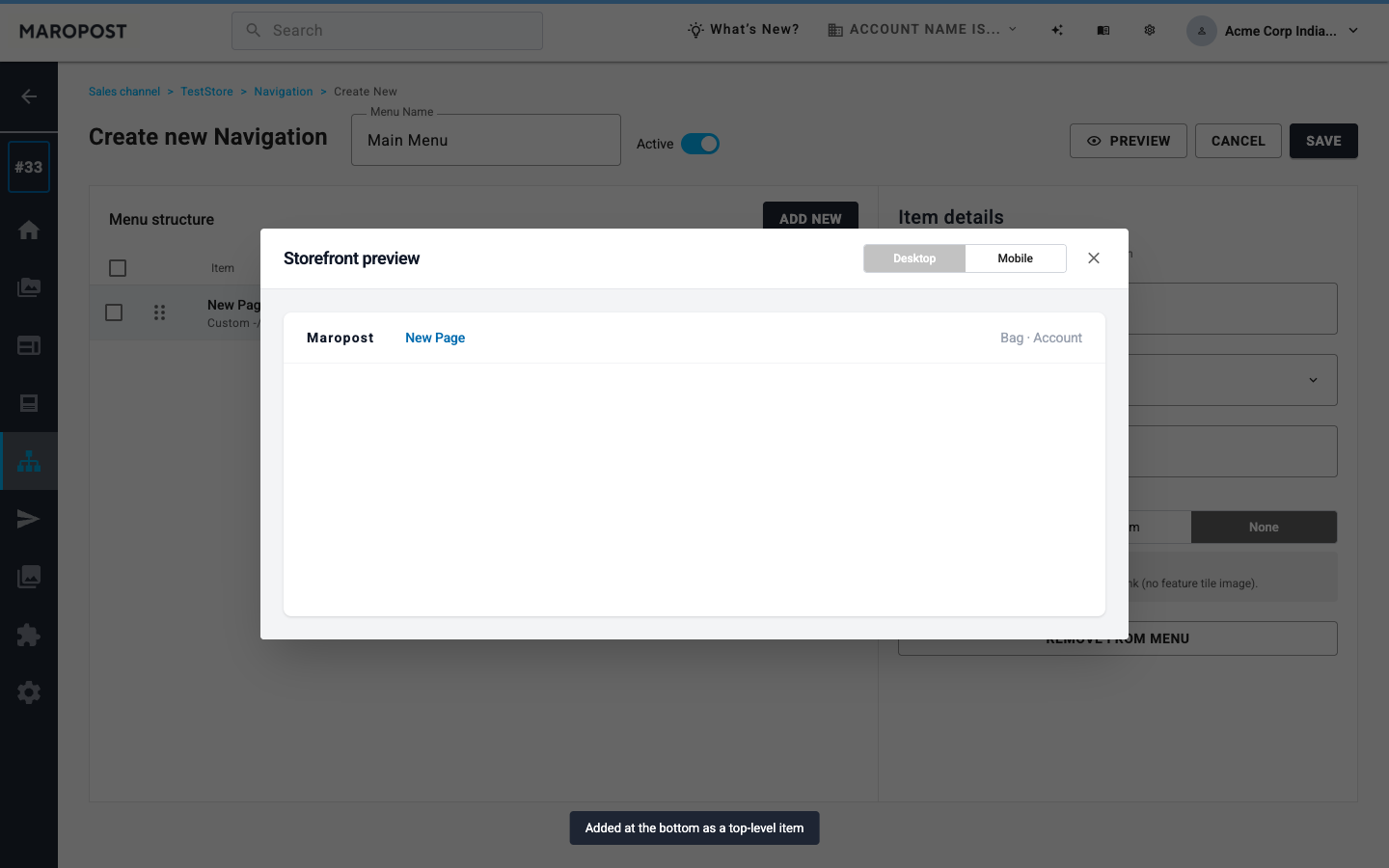
Listing, two-pane editor, item details, and storefront preview. Not labelled live.
Constraint
Catalog first
Furniture-scale catalogs need bulk apply and Include children, not another tag list. Nest stops at three levels, aligned with the storefront mega menu.
Decision
Preview, then confirm save
Desktop and mobile preview does not require save. Saving an Active menu asks for confirmation. Inactive menus stay off the storefront.
Bulk add, nest to three levels, then preview
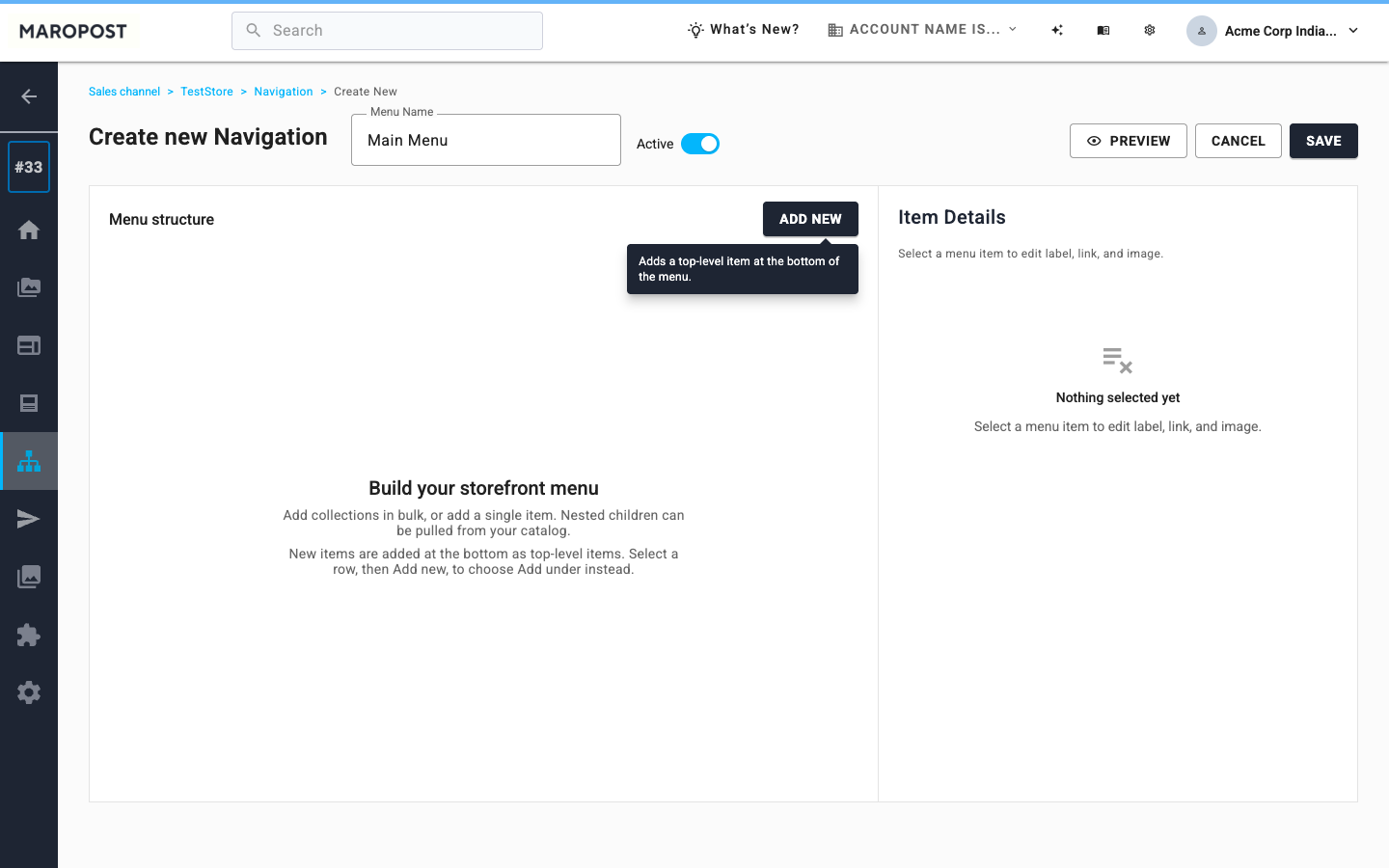
Create new Navigation starts empty on purpose. Add new leads into a bulk pick or a single item. Include children nests catalog under the parent – Furniture, Sofas, 3 Seater – up to three levels. Mix collections with pages, blogs, search, products, Home, and custom URLs. Attach a mega-menu image, or hide an item without deleting it.
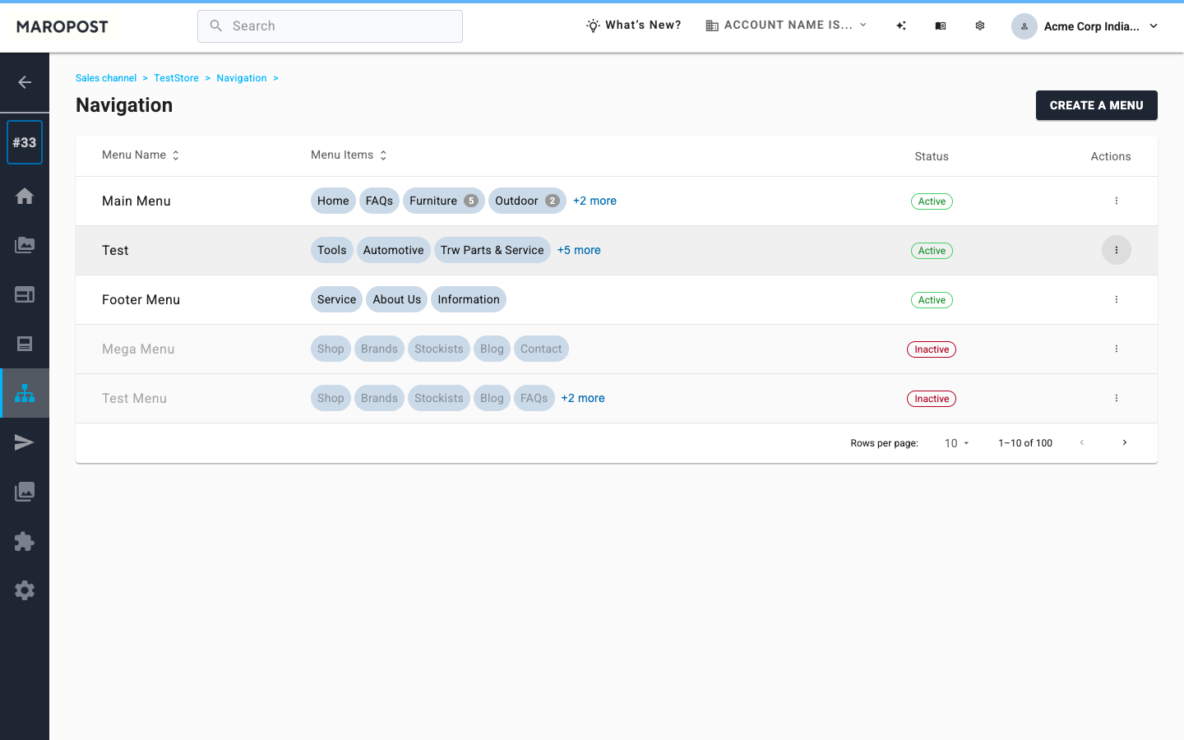
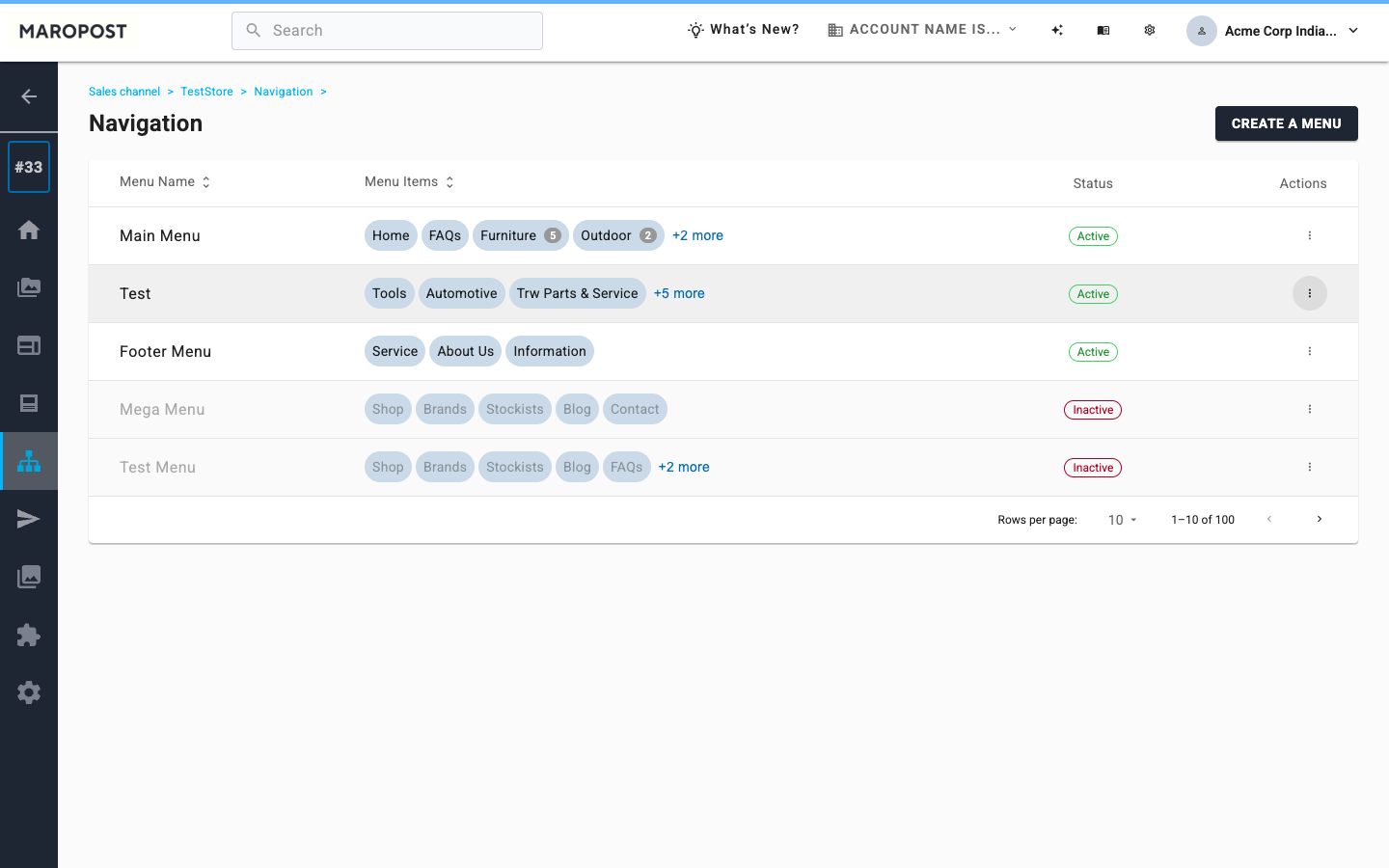
List the menus
Name, item chips, Active or Inactive, actions. Create a menu is the path in. Existing menus still load.
Two-pane tree
Name and Active sit on the editor. Structure on the left. Drag, nest, bulk apply. Not another tag list.
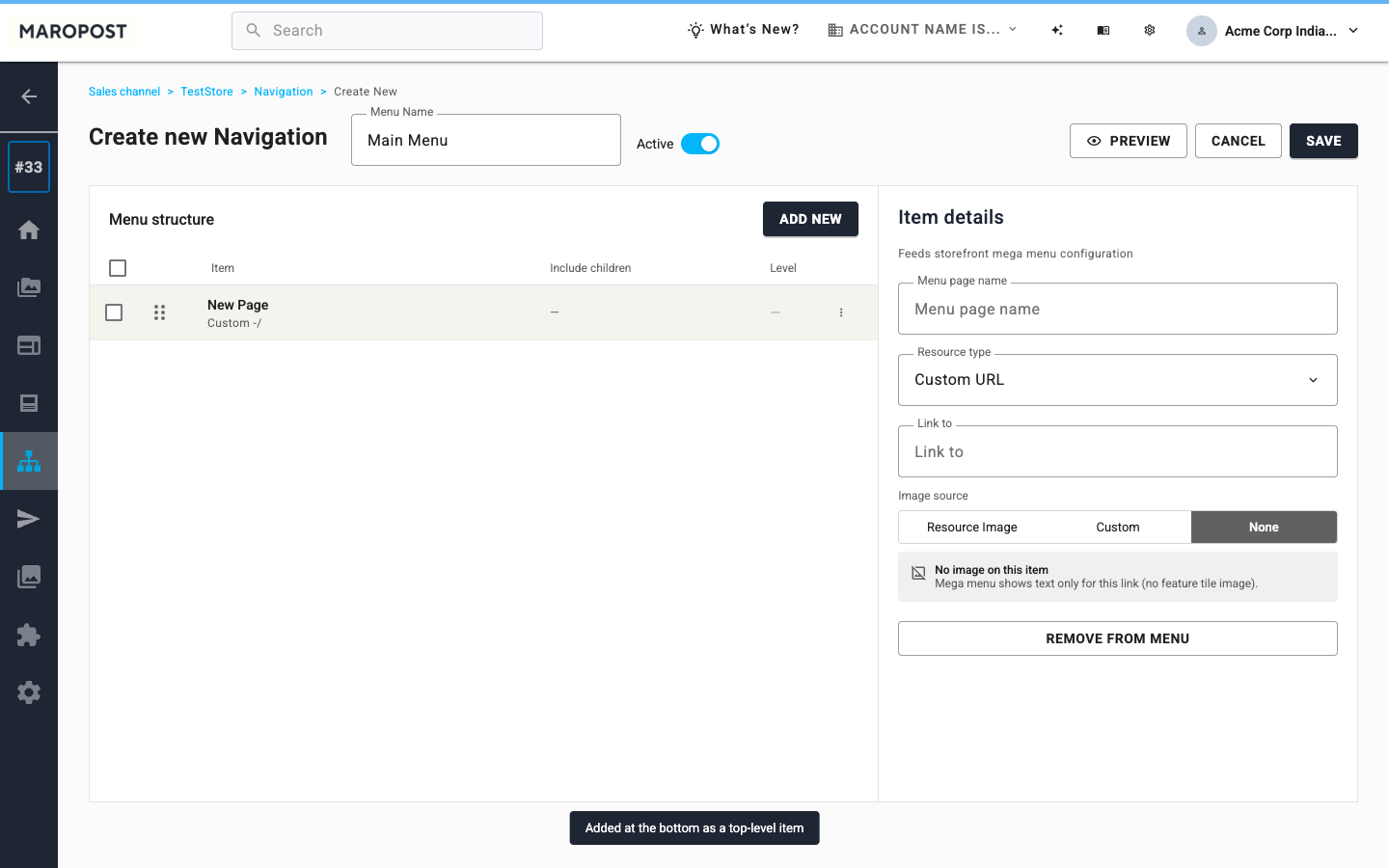
One item, one panel
Label, link type, image, hide, remove. Change the linked resource without rebuilding the row.
Preview before save
Desktop and mobile. Hidden items stay out. Saving Active asks before shoppers see it.
Four screens from the prototype
This is the overview, not every resource-type frame. Listing, empty create, item details, then storefront preview. Open the prototype for bulk pick, Include children, hide, and save confirmation.
What this is for
Phase 1 is the editor merchants use by hand, and the schema a later AI draft would write into. I designed that path: bulk add, three-level nest, mix of link types, hide, preview, and a confirm on save. It is a prototype. Open it and click through.